Higgsfield Genjutsu swaps a character, product or outfit into an existing video while keeping the original motion, camera and timing. It is good, but it caps clips at 30 seconds, sells access through subscriptions, and is one tab inside a very large app. If you want the same result with longer clips, pay-per-use pricing or an API, there are now solid alternatives.
We compared six tools that replace a person in real footage, checked their limits on their own pages on 13 November 2026, and noted where each one wins.
Quick answer
- Best overall for brands and ads: VidGuy Switcheroo. Clips up to 2 minutes, up to 8 reference images, keeps chosen sections of the original, API and MCP.
- Best for audio teams: ElevenLabs Recast, if your voice work already lives in ElevenLabs.
- Best pay-as-you-go: Sume Remix, no subscription, provider pricing with 0% markup.
- Best for animating a still: Kling Motion Control.
- Best for multi-step pipelines: Melius, an agent-built node canvas.
- Best free option: Wan-Animate, open weights, your own GPU.
What is Higgsfield Genjutsu?
Genjutsu is Higgsfield's video transformation tool, launched at the start of September 2026. It has two modes:
- Motion transfer keeps the source clip's motion, camera movement and timing, and rebuilds the scene from your reference images.
- Objects swap changes one named element (a person, product, outfit or location) and leaves the rest of the shot as filmed.
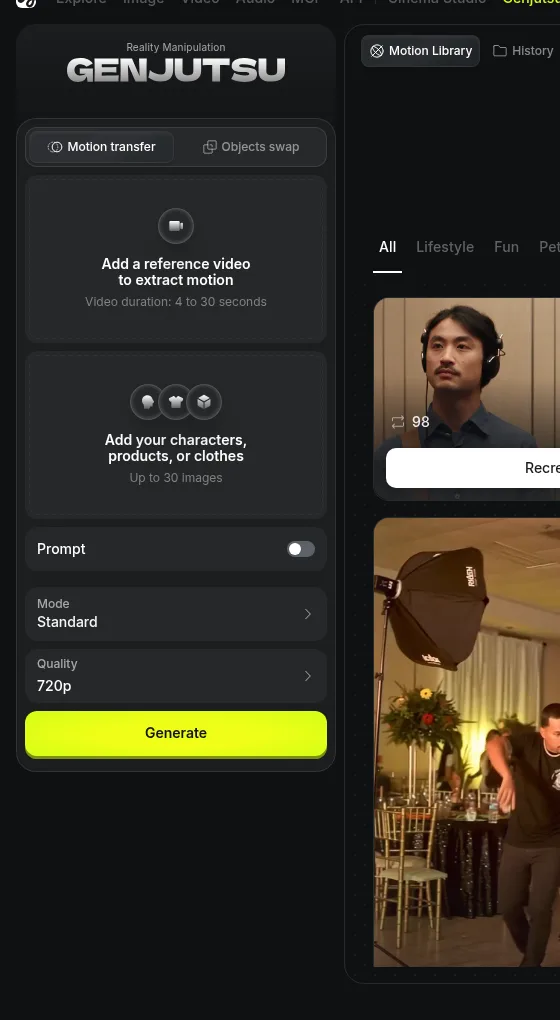 Genjutsu's control panel on higgsfield.ai, checked 13 November 2026.
| Genjutsu setting | Limit |
|---|---|
| Source video | One clip, 4 to 30 seconds |
| Reference images | Up to 30 |
| Prompt | Optional, with presets |
| Quality | 720p by default, up to 1080p |
| Price | Credits from a Higgsfield subscription. A 15-second clip costs about $5.15 at 720p and $14.70 at 1080p (Motion Transfer), $15.68 at 1080p for Object Swap, by Higgsfield's own estimate |
Higgsfield also has an older single-purpose Recast app ("Swap characters in any video"): one video, one character image, generate.
What using Genjutsu is like
You pick a mode, drop in a reference video or choose one of the community presets, add your characters, products or clothes, and write an optional prompt that names them with @, for example "the character from @image1 dancing on a rooftop". The preset gallery is the big draw. It is sorted into Lifestyle, Fun, Pets, Music videos, With friends and Sports, and every preset shows how many times people have recreated it.
A few details are worth knowing before you budget for it:
- The numbers move between pages. The control panel showed 4 to 30 seconds and 30 images when we checked. Higgsfield's launch blog, as reported by Kapwing, lists 3 to 30 seconds and up to 40 images. Plan around the lower figures.
- Free runs depend on your plan. Wireflow's check of Higgsfield's pricing on 13 October 2026 found no free Genjutsu generations on Starter ($19 for 270 credits), and 3 free 720p generations each on Plus ($59) and Ultra ($129).
- The API is a different product. Kapwing notes that Genjutsu's API has a smaller reference-image allowance and per-second pricing, so an automated pipeline will not behave exactly like the web app.
Why people look for a Genjutsu alternative
- The 30-second cap. Ads, podcasts and talking-head clips often run longer.
- Subscriptions. Credits come with a plan, and free Genjutsu generations are limited to higher tiers.
- Workflow. Genjutsu makes a clip. Turning it into a finished ad, captioned, cut and posted, happens elsewhere.
The 6 best Higgsfield Genjutsu alternatives
| Tool | Edits real footage | Max source clip | Reference images | Pricing model | API / MCP |
|---|---|---|---|---|---|
| VidGuy Switcheroo | Yes | 2 minutes | Up to 8 | From about $4.50 per 15 s clip | Yes / Yes |
| ElevenLabs Recast | Yes | Not published | 1 photo | ElevenLabs plan | Via ElevenCreative |
| Sume Remix | Yes | 4 to 15 s | 1 to 8 | Pay per run, 0% markup | Yes / Yes |
| Kling Motion Control | No, animates a still | 3 to 30 s motion clip | 1 | Kling credits | Yes |
| Melius | Depends on the model node | Depends on the model | Depends on the model | Melius credits | Yes / Yes |
| Wan-Animate | Yes | Your hardware | 1 | Free weights | Self-hosted |
1. VidGuy Switcheroo: best for brands, ads and longer clips
Switcheroo is the character swap engine in VidGuy Remix. You upload the video whose motion you want to keep, add your character (an AI influencer, a mascot, a model wearing your product), and it takes the person's place. Every move, the camera and the timing stay.
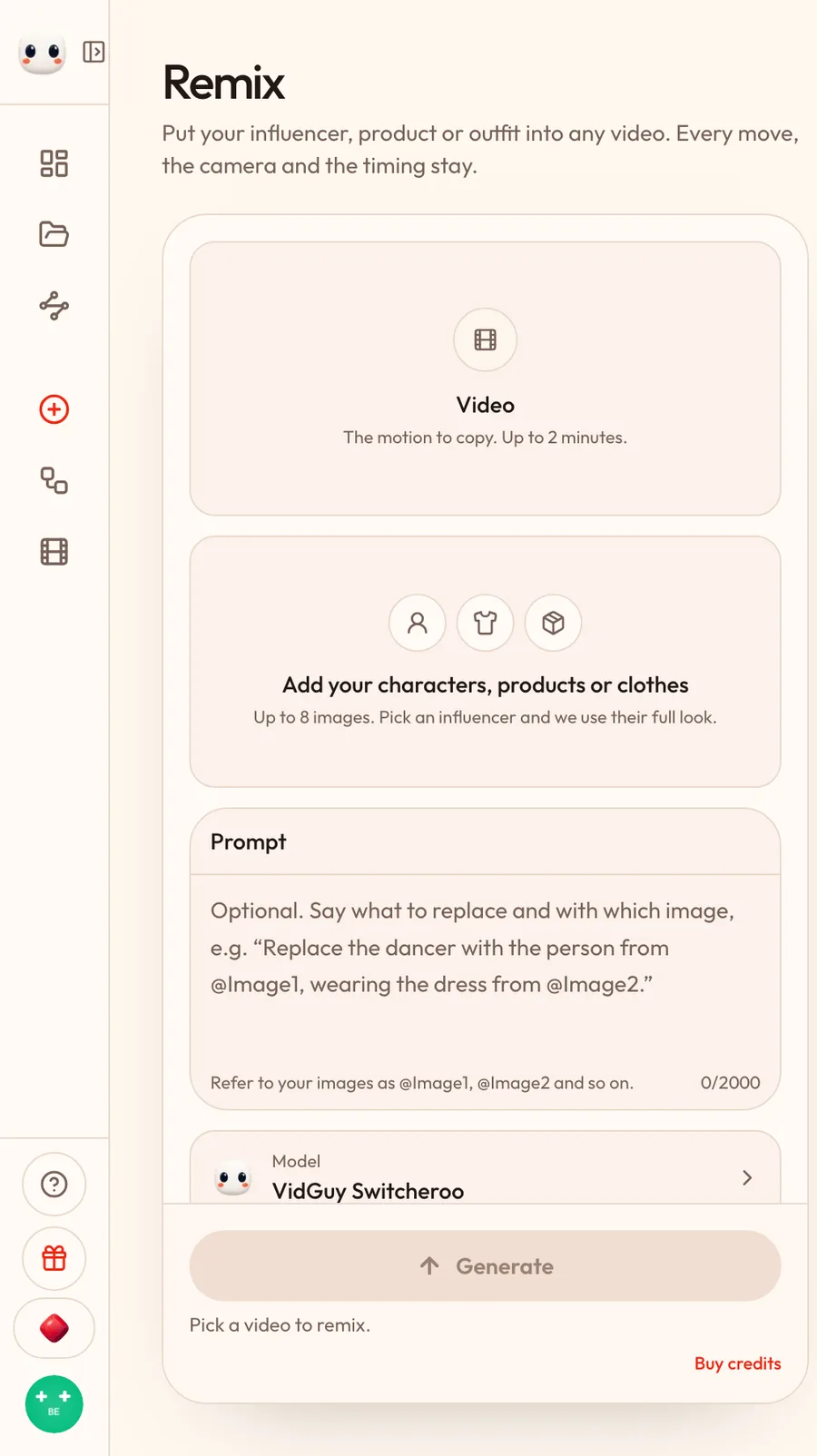 VidGuy Remix. The source video can run up to 2 minutes, four times Genjutsu's cap.
What it does well
- Long clips. Source videos up to 2 minutes, against Genjutsu's 30 seconds.
- Characters, products and clothes in one pass. Up to 8 reference images. Refer to them in the prompt as @Image1, @Image2: "Replace the dancer with the person from @Image1, wearing the dress from @Image2."
- Keep the original where it matters. Under Keep original sections, mark time ranges to leave untouched, so you only pay for, and only change, the sections you swap.
- A motion library. Start from a ready-made clip in Remix instead of hunting for footage.
- Built for marketing. The result lands in your VidGuy library next to the editor and social publishing, and Remix works with your saved AI influencers, so the same face appears across every ad.
- API and MCP. Run swaps from code or from Claude with the same engine.
What using it is like. Remix is one screen. On the left you set up the swap; beside it sits the library you pull from. Videos come from your uploads, from Remix's templates or from things you made in Studio. Images come from four tabs: your uploads, your AI influencers, your products and your Studio images. Picking a template fills in the video, the images and a prompt that already works, which is the fastest way to learn what a good swap prompt looks like.
Three settings are worth knowing:
- Keep the original audio is on by default, so dialogue and music come through unchanged. Turn it off for a silent remix.
- Change the voice (under Advanced settings) replaces the speaker's voice with a preset or one of your cloned voices, built from the original speech. It adds about 50 cents.
- Keep original sections opens the clip on a timeline where you mark the ranges to leave alone. Use it for product close-ups, title cards or shots where the person is not on screen.
Files can be large: up to 2 GB per video and 20 MB per image. The cost estimate updates as you change length, resolution and kept sections, and Generate stays disabled until you have the credits for it, so there is no surprise charge.
Pricing. The lowest-priced model in Remix is Switcheroo UGC, built for one or two people and clips up to 90 seconds. On the Pro plan a 15-second swap costs about $4.50 at 720p and $5.25 at 1080p.
| 15-second swap | 720p | 1080p |
|---|---|---|
| VidGuy Switcheroo UGC (Pro plan) | about $4.50 | about $5.25 |
| Higgsfield Genjutsu, Motion Transfer | about $5.15 | about $14.70 |
| Higgsfield Genjutsu, Object Swap | about $5.49 | about $15.68 |
| Higgsfield Genjutsu Lite | about $4.70 | about $9.41 |
At 1080p that is close to a third of Genjutsu's price. Higgsfield's figures come from its own Genjutsu guide, prices checked 2 November 2026, which assumes $49 for 1,000 credits and notes your account may show a lower price. For the best likeness and lip movement, or more than two people, use the full Switcheroo model.
There is also a cheaper Standard engine in Quick Create for simple swaps: about 10 cents per swapped second on Pro, with a $2.50 minimum, doubled at 1080p.
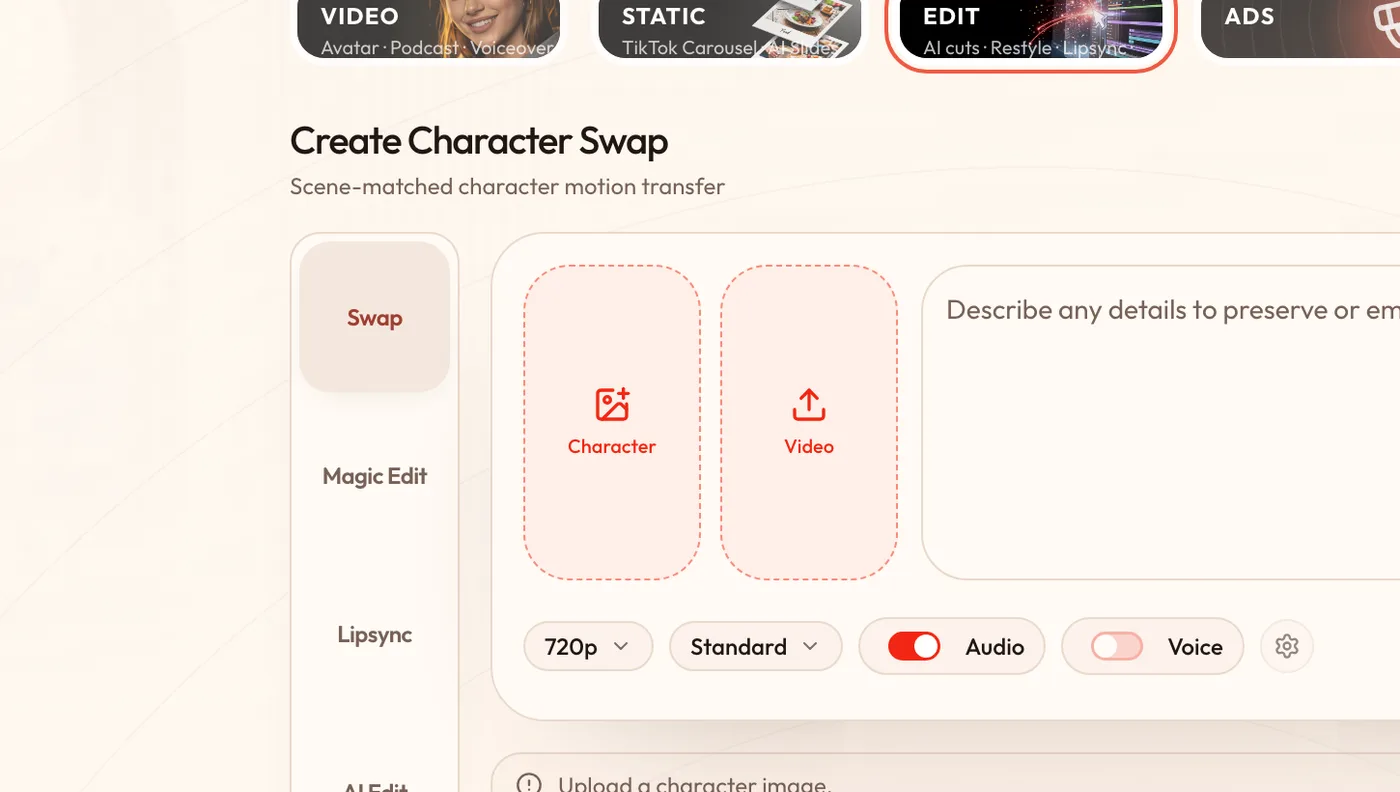 Quick Create's Swap lane: character image, source video, optional voice change.
Choose VidGuy if you are making ads or social content at volume, need clips longer than 30 seconds, or want the swap, the edit and the posting in one place.
Choose Genjutsu if you want the biggest community preset gallery or need more than 8 reference images in one shot.
2. ElevenLabs Recast: best if you already live in ElevenLabs
Recast is an app in ElevenCreative, ElevenLabs' image and video workspace. It is labelled Alpha. The flow is the simplest on this list: upload a video, upload a clear photo of one person, press Recast. "The motion, scene and camera stay the same."
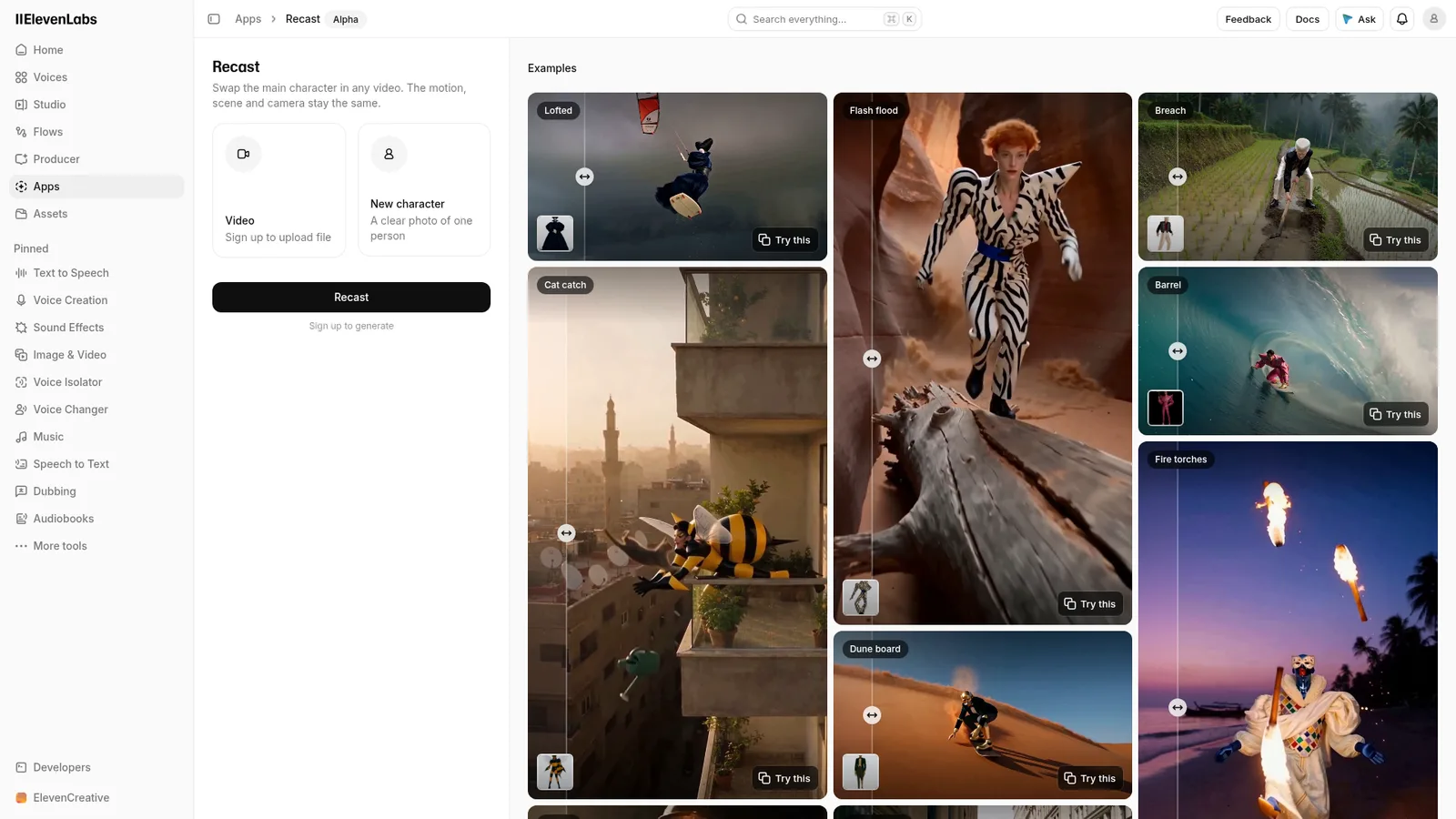 Recast (Alpha) in ElevenCreative, checked 13 November 2026.
What using it is like. Recast sits in the same app as ElevenLabs' Voice Changer and Dubbing, so you can recast the face and then rework the audio without leaving the account. The page shows two inputs, a video and a photo, so there is little to tune. If the result is wrong, the main lever is a better photo.
Strengths: pairs naturally with ElevenLabs voices and dubbing, so you can change the face and the voice in one ecosystem. Limits: one reference photo, swaps the main character only, and ElevenLabs does not publish clip-length limits or per-swap pricing on the page.
3. Sume Remix: best pay-as-you-go option
Sume sells model access with no subscription: top up from $5, and runs are charged at the provider's price with 0% markup. Its Remix tool copies Genjutsu's two modes, Motion transfer and Objects swap, takes a 4 to 15 second clip and 1 to 8 photos, and has a motion library of its own.
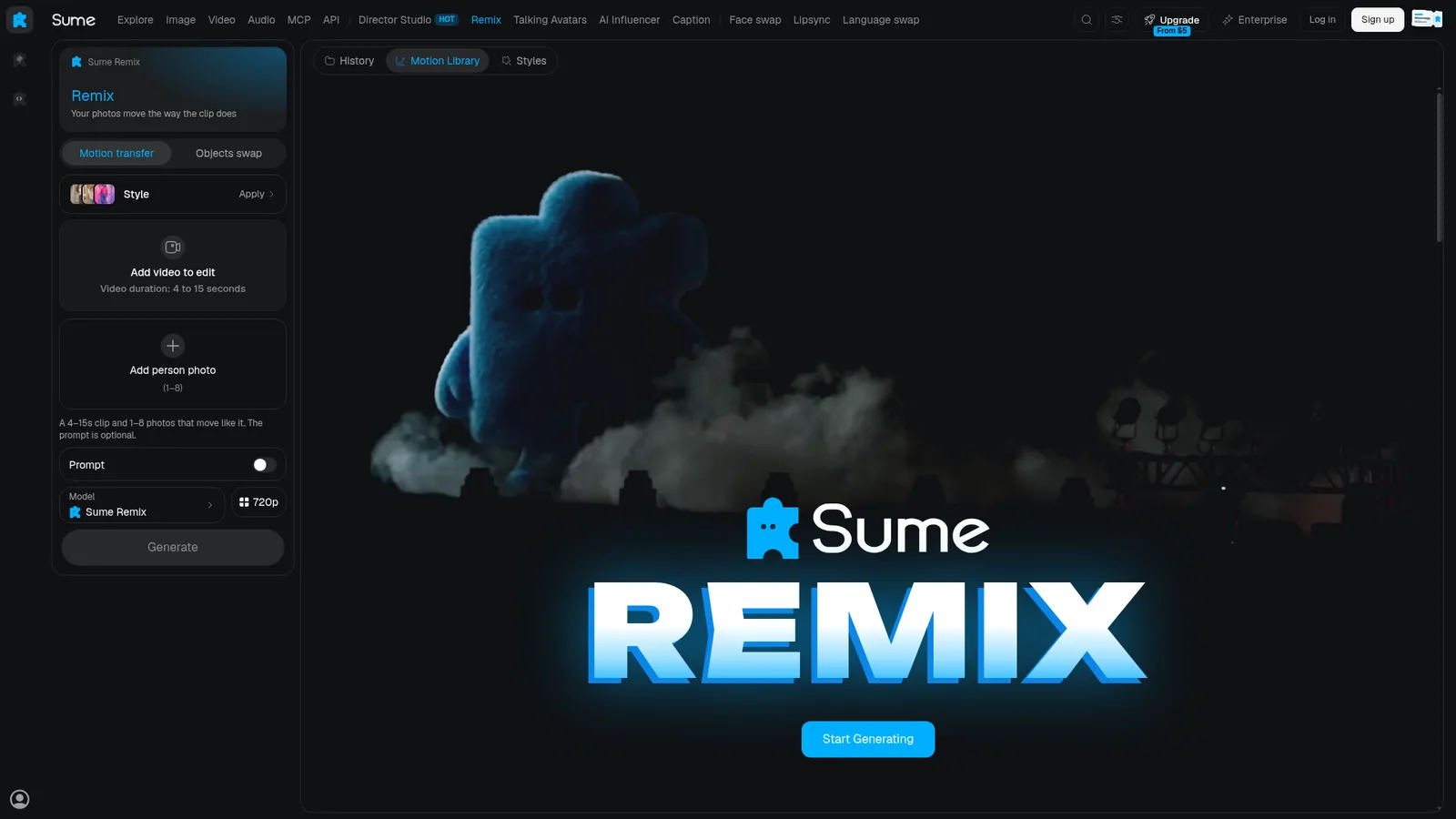 Sume Remix, checked 13 November 2026.
What using it is like. Sume's home page leads with the Remix library: ready-made motions such as K-pop Stage Trio, Soccer Pitch Dribble and Vehicle Swap Drift, each tagged as Motion transfer or Objects swap, each with a Recreate button. Money works like a prepaid card. A top-up lasts 365 days, Sume pays the card fee, and the amount you have topped up in the last 28 days sets how many jobs run at once ($25 gets you 10, $100 gets 20, $1,000 gets 40). Through Sume's MCP connection, an assistant can preview the dollar price of a run before starting it, and finished results come back as file links (Clout's review, checked 23 October 2026).
Strengths: transparent per-run pricing, an API and an MCP server. Limits: the shortest maximum clip on this list (15 seconds), and you get a clip, not a finished ad.
4. Kling Motion Control: best for animating a single still
Kling Motion Control works the other way round. Instead of editing your footage, it takes one character image and moves it with the motion from a 3 to 30 second reference video. It is one of the most-searched tools in this category, and for dance trends and single-character performances it is excellent.
What using it is like. You give it one motion video and one character image, then pick an orientation mode. Character orientation matches video makes your character follow the performer's movement, expression and camera. Character orientation matches image keeps the pose of your image, lets you direct the camera in the prompt, and accepts only shorter motion clips (Kapwing's test, 2026).
Kling's own guidance is to match the framing of the image to the performer: a full-body photo for a full-body clip. It expects one clearly visible performer, and when there are several people it follows whoever fills the most of the frame. Very fast or complex motion can come back shorter than the clip you uploaded. Wireflow lists Kling VIDEO 3.0 Motion Control at 12 credits a second on Professional and 9 on Standard (checked 12 to 13 October 2026).
Choose it when you have a character image and want it to perform a move. Skip it when you need to keep the original scene, background or other people in the shot, because it rebuilds the frame around your character.
5. Melius: best for multi-step pipelines
Melius is an agent-built node canvas. You describe the job in plain language, its agent wires a graph of models (Kling, Seedance, Veo and others), and every node can be re-run on its own. It is drivable from Slack, a CLI, an API and MCP.
There is no dedicated swap app. Swaps happen by putting a video-to-video model on a node, so limits like clip length and reference count belong to whichever model you choose. Melius's own avatar studio, Cast, is in waitlist beta and is a presenter tool, not a character swap tool.
What using it is like. You talk to Mel, the Melius agent, and it builds the first version of the workflow. Then you open the canvas, where every prompt, clip, reference and audio track is a node you can change. A stitch node and a multi-track editor handle assembly, so a swap can feed straight into a cut with sound. Melius sells one subscription across its models and says it does not train on your work.
Choose it when the swap is one step in a longer pipeline you want to edit node by node.
6. Wan-Animate: best free and open-source option
Wan-Animate is an open-weights model for character animation and replacement. It is free if you have the GPU, the setup time and the patience for ComfyUI workflows. Quality depends heavily on your settings and hardware.
What using it is like. Wan-Animate comes from Alibaba's Tongyi Lab, and the weights are on Hugging Face as Wan2.2-Animate-14B. It can animate a character from a performer's video or replace the person in a clip while "replicating the scene's lighting and color tone". One check before you use it for ads: the project page says it is "intended solely for academic research and effect demonstration", so read the licence before putting its output into a paid campaign.
Choose it when you need full control or cannot send footage to a third party.
Which Genjutsu alternative should you pick?
Start from the job, not the tool. Most people searching for a Genjutsu alternative want one of the jobs below.
| Your job | Pick | Why |
|---|---|---|
| A branded ad or UGC clip longer than 30 seconds | VidGuy Switcheroo | 2-minute source clips, kept sections, editor and publishing next to it |
| The same AI influencer across many trending clips | VidGuy Switcheroo | Saved influencers load straight into Remix |
| A swap plus a new voice | VidGuy Switcheroo or ElevenLabs Recast | Switcheroo changes the voice in the same run; Recast sits beside ElevenLabs' voice tools |
| A few short clips with no subscription | Sume Remix | Top up from $5, provider price, 4 to 15 second clips |
| One character performing a dance or move | Kling Motion Control | Built for one performer and one image |
| A swap inside a bigger, editable pipeline | Melius | Each step is a node you can re-run |
| Footage that cannot leave your machine | Wan-Animate | Open weights on your own GPU, licence permitting |
| Remixing a viral preset with many references | Higgsfield Genjutsu | The biggest preset gallery and up to 30 images |
How to swap a character in a video with VidGuy
- Open Remix in VidGuy, or Quick Create and choose Edit → Swap.
- Upload the video whose motion you want to keep (up to 2 minutes), or pick one from the library.
- Add your character: an image, or one of your saved AI influencers. Add products or clothes as extra images if needed.
- Optionally write a prompt naming what to replace with which image.
- Choose VidGuy Switcheroo, check the price estimate, and generate.
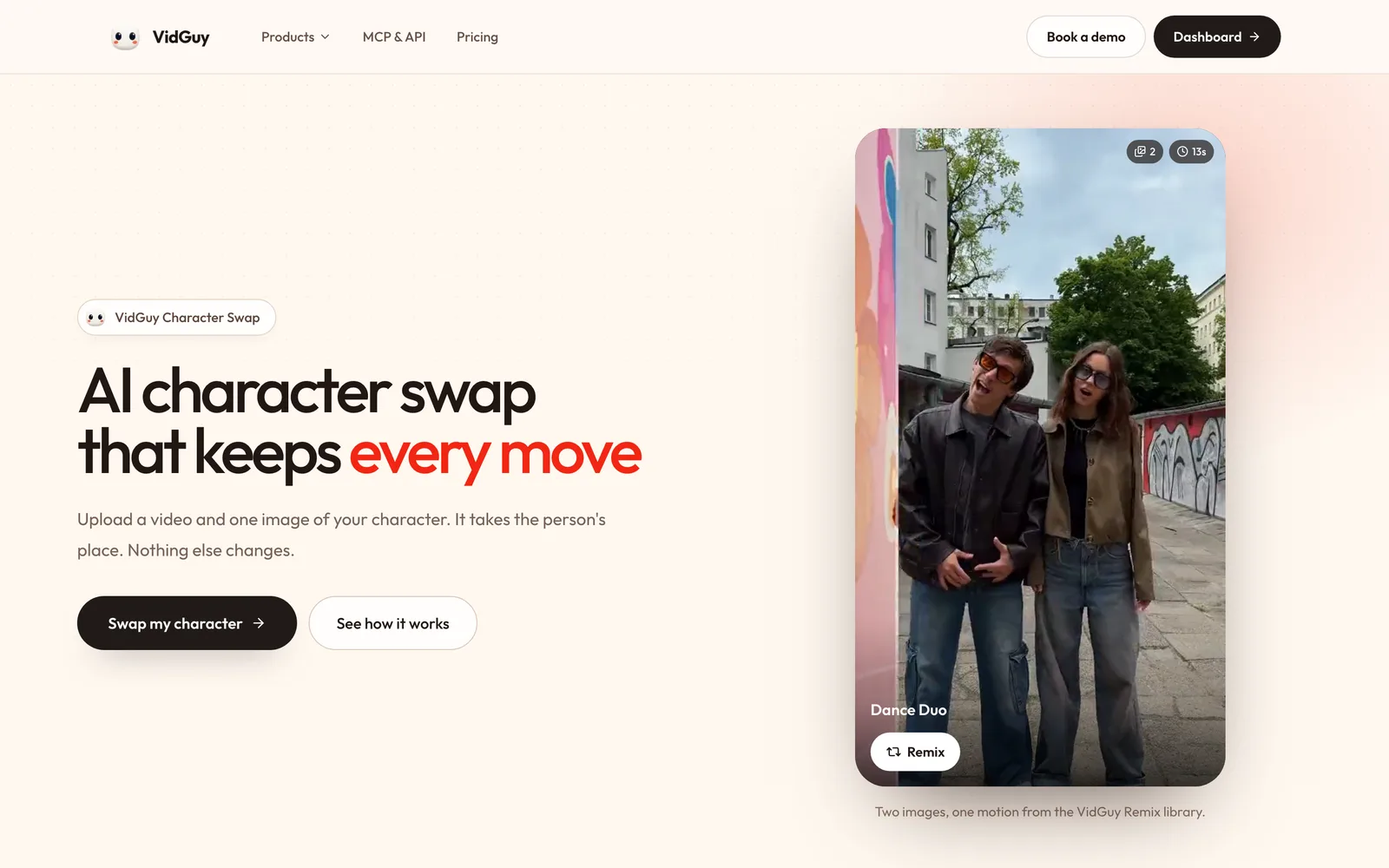 Upload a video and one image of your character. It takes the person's place. Nothing else changes.
A worked example: a 30-second product ad
Say you have a 30-second clip of a creator talking to camera. The first 4 seconds are a close-up of your product with no face in shot. You want your AI influencer in the creator's place, wearing your brand's jacket, at 720p.
- Video. Upload the 30-second clip.
- Images. Add your influencer from the Influencers tab as @Image1 and a photo of the jacket from the Products tab as @Image2.
- Prompt. "Replace the woman with the person from @Image1, wearing the jacket from @Image2."
- Keep original sections. Mark 0:00 to 0:04 so the product close-up stays exactly as shot.
- Audio. Leave Keep the original audio on, so the creator's words come through.
With the Switcheroo UGC model, on the Pro plan:
| Setup | Swapped seconds | Cost |
|---|---|---|
| Whole clip swapped | 30 | about $8.90 |
| With 0:00 to 0:04 kept | 26 | about $7.70 |
| Same, plus Change the voice | 26 | about $8.20 |
| Same as row 2, at 1080p | 26 | about $9.00 |
Keeping the close-up saves about $1.20 and guarantees the product shot is untouched. Each swapped section is billed at a minimum of 3 seconds, so many tiny kept gaps do not save much. Mark kept sections where there are whole shots without the person, not single frames.
Tips for clean swaps
- Use a source clip where the person's face and body are clearly visible for most of the shot.
- Match the character photo's framing and lighting to the video: a full-body photo for full-body clips.
- Fast spins and heavy occlusion are where every tool, Genjutsu included, makes most of its mistakes. Trim them or mark them as sections to keep.
- Only swap in people and footage you have the rights to use.
Frequently asked questions
What is the best alternative to Higgsfield Genjutsu?
For marketing and ad content, VidGuy Switcheroo: it takes source clips up to 2 minutes (Genjutsu's cap is 30 seconds), up to 8 reference images, and keeps the result next to VidGuy's editor and social publishing. For pay-per-use without a subscription, Sume Remix. For a free self-hosted option, Wan-Animate.
Is there a free Higgsfield Genjutsu alternative?
Wan-Animate is free open-weights software if you run it on your own GPU. Its project page describes it as intended for academic research and demonstration, so check the licence before commercial use. Hosted tools, including Genjutsu, charge credits for swaps, because video-to-video generation is expensive to run.
What is the difference between Genjutsu and Kling Motion Control?
Genjutsu edits your existing video and can keep most of the scene. Kling Motion Control starts from a single image and animates it with the motion of a reference clip, rebuilding the scene around the character.
What is Higgsfield Recast?
Recast is Higgsfield's earlier single-purpose character swap app: upload a video and a character image and generate. Genjutsu is the newer, more flexible tool with motion transfer, objects swap and up to 30 references.
What is ElevenLabs Recast?
Recast is an Alpha app inside ElevenLabs' ElevenCreative workspace that swaps the main character in a video using one reference photo, keeping the motion, scene and camera.
How long can a character swap video be?
It depends on the tool: Sume Remix takes 4 to 15 seconds, Higgsfield Genjutsu 4 to 30 seconds, and VidGuy up to 2 minutes.
Can I keep part of the original video when swapping a character?
Yes, in VidGuy. Keep original sections lets you mark time ranges that stay exactly as filmed, and you are only charged for the seconds that are swapped.
Does character swap keep the original audio?
In VidGuy, yes by default: Keep the original audio is on, and you can switch it off or replace the voice for about 50 cents. ElevenLabs keeps Voice Changer and Dubbing in the same app as Recast, so the voice is a separate step there.
How much does AI character swap cost?
On VidGuy, a 15-second swap with the Switcheroo UGC model costs about $4.50 at 720p and $5.25 at 1080p on the Pro plan. Higgsfield's own estimate for the same clip on Genjutsu is about $5.15 at 720p and $14.70 to $15.68 at 1080p (checked 2 November 2026).
Try it
Open Character Swap, upload a clip and one image of your character, and run it through Switcheroo.